
Retirement doesn’t mean you stop learning new tricks behind the camera. This week, I stepped away from my Fuji X-T5 and shared two iPhone apps that open up a whole new world of creative photography. Best of all, one costs just $2.99, and the other is completely free.
Slow Shutter: Motion Blur Made Simple
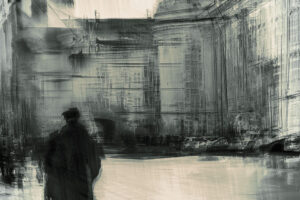
The first app, Slow Shutter, gives you real control over motion blur. You simply open the app, choose the motion blur mode, and adjust the shutter speed anywhere from one-eighth of a second up to 60 seconds. You can even switch to bulb mode for longer exposures. Then you select your blur strength, from minimal to maximum, and watch the effect build with each step. I tested seven versions of the same shot, and the difference between low and maximum blur is dramatic. Your camera stays completely still; the app creates all the movement.
Snapseed: Adding a Creative Layer
Next, I explored Snapseed, a free app that adds another creative layer. After importing a photo, you can customize your toolbar to include tools like double exposure, glow, or vintage. Double exposure is where things get really fun. You choose a second image, blend it using modes like overlay or lighten, and adjust the slider until you find a look you love. The results feel painterly and unexpected, all without opening Lightroom or Photoshop.
Together, these two apps prove that you don’t need expensive gear to experiment with intentional camera movement. Instead, you just need curiosity and a willingness to try something new. So next time you’re out with your phone, open Slow Shutter, play with the blur strengths, and then bring your favorite shot into Snapseed for a second creative pass.
Give it a try, and let me know what you create.
Leave a Reply
Your email is safe with us.